Sprunki Phase 1
Updated:
The original Incredibox mod by NyankoBfLol, with 20 characters and a horror mode twist. Play Sprunki Phase 1 free online, no download needed.
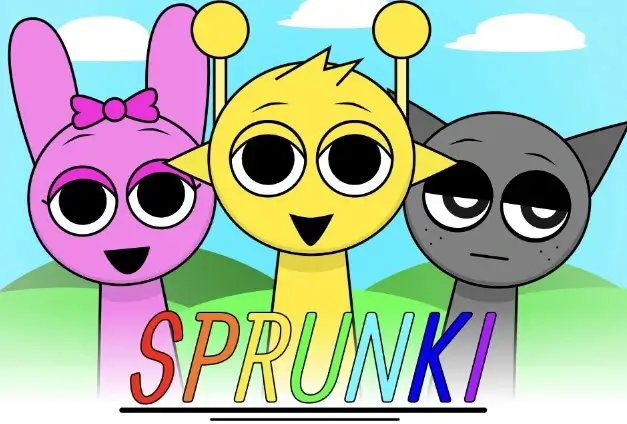
Sprunki Phase 1
Tap play to start this game. Some in-app browsers block auto-loaded games.
Start playing
Content note: This build includes cartoon injuries and exposed body parts.
Press Play above, then use the green flag if the game shows a start screen. Drag a sound icon from the lower tray onto a character on the stage.
If the embedded player stays blank, use “Try again” or “Open game directly”. On a small screen, try landscape orientation for more room. Progress may reset when you reload.


Recently Played
No recently played games yet.
Start a game and it will appear here.
More from Community
Picked from the same collection when possible, then filled with recent published games.


Sprunki Phase 1 Introduction
About this Sprunki Phase 1 player
This page provides the browser build titled “Incredibox - Sprunki PHASE 1”. Its start screen leads to seven empty stage characters, a yellow-sky background and a two-row tray of sound icons. The upper bar includes controls labelled 1.5, 2 and AUTO. These observations describe the file currently embedded here; they do not establish that it is the original creator’s first release.
“Phase 1” is used across several fan uploads. A matching name alone does not establish an upload’s author, release date or relationship to other numbered games. This page therefore focuses on the current player rather than presenting a wiki timeline as verified history.
Content note: Character designs can show cartoon injuries and exposed body parts, including in the default scene after adding a character.
How to play the current build
- Press Play on this page. If the game shows a green flag, select it to start.
- Drag a sound icon from the bottom tray onto one of the empty stage characters. The orange icon changes the first character into the orange performer.
- Add another icon to another character to build a layered mix. Try one change at a time so you can compare the result.
- Use the circular arrow in the game when you want to reset the mix. Reloading the page may also reset progress.
The desktop start and drag interactions were checked against this embedded file on September 6, 2026. The player visibly contains 19 tray icons at startup. Do not rely on a generic 20-character list or a Black/Horror Mode guide for this particular build.
If the player does not load
Use Try again if the embedded frame remains blank. Open game directly opens the same configured game file in a separate tab. On a small screen, try landscape orientation to give the stage and sound tray more room. Touch controls and audio can vary by browser; desktop verification is not a guarantee for every phone.
Explore related games
Browse the Sprunki Phases collection or compare the pages for Phase 2, Phase 3, Phase 4, Phase 5 and Phase 6. These are separate listings; the numbering does not prove a shared author or official release sequence.
For a different player, try the featured Normal version on Sprunki Retake. You can also browse Sprunki OC games for character-focused variations.
Frequently asked questions
Do I need an account or installer?
The current player starts in the browser without an account or installer.
Is this an official Incredibox release?
This is an independent fan-game listing on Sprunki.net. The site is not affiliated with or endorsed by Incredibox.
Does this page verify the original release date or creator?
No. The file title and current interface do not establish the creator or release history. Those claims require an original source.